

Gaming often requires you to sit in the same position for long periods, with the hands, wrists and neck staying active for hours. Repeated mouse clicks, keyboard use or controller movements can put stress on the wrists, while constantly looking at a screen may cause the head to move forward and strain the neck. Along with this, poor sitting posture, limited movement and long gaming sessions can further add to muscle tightness, stiffness and discomfort. Over time, these habits can make everyday movements uncomfortable and affect gaming performance.
Regular physical activity can help gamers reduce some of the strain caused by prolonged sitting and repetitive movements. Gentle stretches and strengthening exercises can improve flexibility, support the muscles around the wrists and neck, and improve posture. Taking short breaks between gaming sessions is also important, as it gives the body a chance to recover. Including simple exercises in your daily routine may help the wrists and neck. Here are some exercises for gamers that can help prevent wrist and neck pain.
Exercises For Wrist And Neck Pain
1. Wrist Flexor and Extensor Stretch
Long gaming sessions can keep the wrist in one position for hours, which may cause stiffness and discomfort. To stretch the wrist flexors, extend one arm in front with the palm facing up. Use the other hand to gently pull the fingers down towards the floor. Hold for 20-30 seconds and switch sides. For the extensor stretch, keep the arm extended with the palm facing down and gently pull the fingers towards you. These stretches can help loosen the muscles and tendons around the wrist.
2. Wrist Circles
Wrist circles are a simple mobility exercise that can be done between gaming sessions. Hold your arms out or keep your elbows comfortably bent. Slowly rotate both wrists in circles, making controlled movements rather than fast ones. Do 10-15 circles in one direction and then repeat in the opposite direction. This can help reduce stiffness after prolonged mouse or controller use and keep the wrist joints moving comfortably.
3. Chin Tucks
Gamers often spend long periods looking at a monitor, which can make them move their head forward and place extra strain on the neck. Chin tucks can help strengthen the muscles that support better head and neck positioning. Sit or stand upright and gently pull your chin straight backwards, as if making a small double chin. Do not tilt your head up or down. Hold for about five seconds, relax and repeat 10-15 times.
4. Neck Side Stretch
A gentle side stretch can help release tight muscles along the sides of the neck. Sit upright and slowly tilt your head towards one shoulder while keeping the opposite shoulder relaxed. You should feel a mild stretch on the opposite side of your neck. Hold for 20-30 seconds before returning to the starting position and repeating on the other side. Avoid pulling your head forcefully or making sudden movements.
5. Shoulder Blade Squeezes
Poor posture while gaming can cause the shoulders to round forward and contribute to tension in the neck and upper back. Shoulder blade squeezes are a simple way to activate the muscles that support the upper body. Sit or stand upright with your arms relaxed. Gently draw your shoulder blades back and slightly down, as though trying to bring them closer together. Hold for five seconds, then release. Repeat 10-15 times without shrugging your shoulders.
6. Forearm Strengthening Exercises
Strong forearm muscles can provide better support for the wrist during activities involving a mouse or controller. One simple exercise is a wrist curl using a light dumbbell or another suitable weight. Rest your forearm on a table with the wrist near the edge and slowly move the hand up and down. You can perform the movement with the palm facing up and then with the palm facing down. Start with a light weight and avoid movements that cause pain.
7. Cat-Cow Stretch
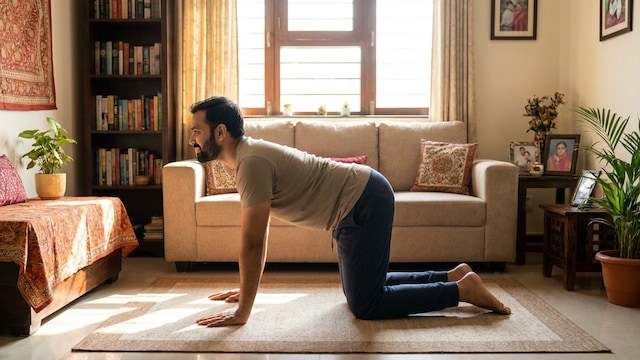
The cat-cow stretch can help loosen the spine, shoulders and upper back after spending a long time sitting. Start on your hands and knees with your hands under your shoulders. Slowly arch your back while lifting your chest and then round your spine while gently bringing your chin towards your chest. Move slowly between the two positions and breathe normally. Perform 8-10 repetitions. This exercise can help counter some of the stiffness that happens due to prolonged sitting and gaming.
Disclaimer: This content including advice provides generic information only. It is in no way a substitute for a qualified medical opinion. Always consult a specialist or your own doctor for more information. NDTV does not claim responsibility for this information.