





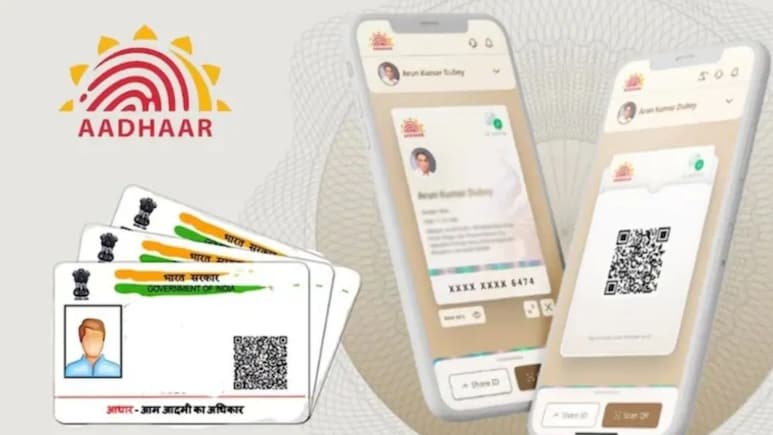
The Unique Identification Authority of India (UIDAI) has made it easier for residents to update their Aadhaar address using the Aadhaar app. Earlier, people had to go to Aadhaar enrollment centres, stand in long lines, and submit physical documents to get their address changed. But now, the entire process can be done easily from home using a smartphone.
Also read | Made-In-India Sarvam Kaze Vs Meta Ray-Ban Glasses: All You Need To Know
Here's a simple step-by-step process
Step 1 - Download and Install the Aadhaar App: Firstly, download the official Aadhaar app from the Google Play Store (for Android) or Apple App Store (for iOS). Then install the app and open it.
-

-
 World-Class Chefs, Food And Music: The Fun Side Of NDTV World Summit 2026
 -
 AI, Consciousness And Dharma: Why Ancient Indian Wisdom Matters Now
 -
 NDTV World Summit: What To Expect From PM Modi's Keynote Address
 -
 NDTV World Summit 2026: What To Watch Out For | PM Modi, Jaishankar, AI And Global Power Shifts
 -
 A World Between Orders: What To Expect At NDTV World Summit 2026
 -
 Who Is Rajiv Mehta? Lilavati Hospital Trustee To Speak At NDTV World Summit 2026
 -
 Alain Ebobisse, Africa50 CEO, To Attend NDTV World Summit 2026. All About Him
 -
 Kriti Sanon At NDTV World Summit: A Look At Her Career And Business Ventures
 -
 Ex-CIA Director To Decode 'War In Times Of AI' At NDTV World Summit
 -
 Who Is Vikram Rai, CEO, South Asia GE Aerospace, Set To Attend The NDTV World Summit 2026
Step 2 - Log In to the App: Enter your 12-digit Aadhaar number and the mobile number registered with Aadhaar. After that, set up an MPIN or use biometric or face authentication for security.
Step 3 - Update Your Address: Go to the Services section and select Address Update. Choose how you want to update your address - using your own valid address proof document or using the Aadhaar details of a family member who lives at the same address. Also, the person will be required to upload a clear photo or scan of a valid proof of address, such as a utility bill or bank document
Step 4 - Pay the Fee and Submit: Pay a small fee of around Rs 75 to submit the request, and once submitted, UIDAI will verify the details, and the updated address is usually reflected within a few days to a couple of weeks.
Also read | Video Showing Groom's Family Showering Bride With Lakhs In Cash Goes Viral
All About The New Aadhaar App
Recently, the new Aadhar app was launched by Jitin Prasada, Minister of State for Commerce and Industry and Electronics and Information Technology. The new mobile application is designed to provide the citizens with a secure way to carry, share, show and verify their digital identity.
The app can be used for face verification as a proof of presence, biometric lock and unlock in a single click, viewing of authentication history, and a QR-based contact card for easy sharing of contact details.
The official release noted that the Aadhaar App supports a wide range of real-life use cases, including hotel check-ins through Offline Verification Seeking Entity's (OVSE) QR code scanning.
Track Latest News Live on NDTV.com and get news updates from India and around the world

