





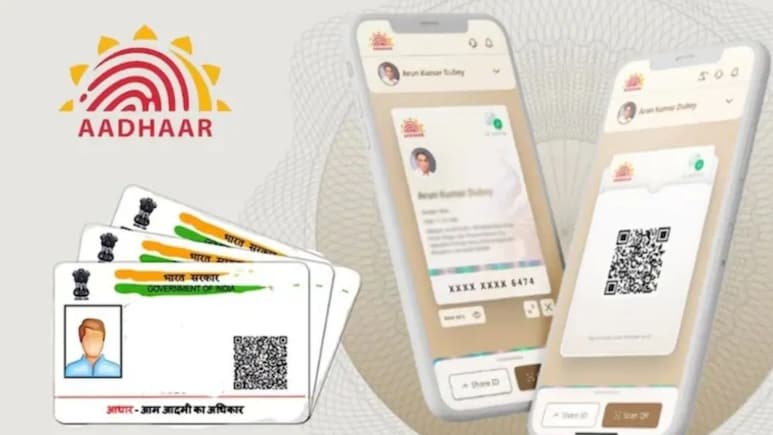
Aadhaar Card Safety? Masked Aadhaar is a version of your Aadhaar card in which the first 8 digits of the 12-digit Aadhaar number are hidden and replaced with "XXXX-XXXX". In this card, only the last four digits are visible. For example, if your Aadhaar number was 1234 5678 9012, the masked version would be 'XXXX XXXX 9012'. Masked Aadhaar is issued by the Unique Identification Authority of India (UIDAI), and it can be used to show it as ID proof without revealing the full Aadhaar number. Using a masked Aadhaar Card reduced the risk of misuse or fraud.
The masked version is legally valid and accepted as proof of identity by banks, hotels, travel companies and most private entities that don't need to do e-KYC. But it can't be used where Aadhaar authentication or e-KYC is required, like opening a bank account or getting a new SIM, because those need your full Aadhaar number.
Why Masked Aadhaar Is Important?
1. Privacy: Your full Aadhaar number is sensitive. If leaked, it can be used for fraud. Masking limits exposure.
2. Compliance: UIDAI and MeitY have advised entities not to collect or store full Aadhaar numbers unless authorised.
3. Convenience: Same as e-Aadhaar, but safer to share screenshots or printouts.
Step-by-Step Guide To Download It
Method 1: UIDAI Website
1. Go to https://myaadhaar.uidai.gov.in
2. Click Download Aadhaar
3. Enter your 12-digit Aadhaar number, or 16-digit VID, or 28-digit EID
4. Enter the captcha code and click Send OTP
5. Enter the OTP sent to your registered mobile number. Important Note: Check the box that says "Do you want a masked Aadhaar?"
7. Click Verify & Download
8. Your masked e-Aadhaar PDF will download.
Method 2: mAadhaar App
1. Open the mAadhaar app and log in
2. Go to Download Aadhaar under Services
3. Select the Masked Aadhaar option before downloading
4. Enter OTP and download
Things To Keep In Mind
1. Mobile number must be linked: You can't get OTP otherwise. If not linked.
2. Printed version: You can print the masked Aadhaar. It's valid even in black & white. Laminated printouts are also fine.
3. Scams: UIDAI never asks for money to download Aadhaar. Only use the official site/app. Avoid "Aadhaar download" agents.
Track Latest News Live on NDTV.com and get news updates from India and around the world

