Apple Pay has finally arrived in India, but beyond shopping and online payments, it could also make travel easier for iPhone users. In several cities around the world, Apple Pay can be used to tap into metros, buses and trains, while some transport networks even let travellers add local transit cards directly to Apple Wallet. However, there are a few things Indian users should know before relying on it abroad.
For now, Apple Pay supports only eligible Axis Bank credit cards on the Visa and Mastercard networks.
Using Apple Pay On Public Transport
Public transport systems are the preferred modes of transport during international trips. However, understanding cards, tickets, payment systems can easily become a hassle, especially if you're not used to it. But now that Apple Pay has become an option for Indian travellers, this trouble could be a thing of the past. In many countries like Japan, Singapore, and USA, some transport systems accept a regular payment card through Apple Pay, while others have their own travel cards that can be added to Apple Wallet.
You can check what's available on the Wallet app on your iPhone, tap the Add button and just select Travel Card. You can even browse different cards available for different locations.
Also Read: Planning To Ride Busan's Viral Sky Capsule? Creator Shares 3 Tips For The Best Ocean Views
This is already a widely used method to access public transport in major travel destinations. In Japan, for example, travellers can add compatible IC cards such as Suica, PASMO and ICOCA to Apple Wallet. Smae stands true in Hong Kong, where the Octopus card can be used through Wallet. Singapore transport services also support contactless payments.
Even in Europe, countries like the Netherlands, France, Italy, Spain and the Czech Republic offer contactless transport.
Also Read: World Tourism Day 2026: How To Use AI For Smarter Travel Planning
The Easiest Way To Tap And Travel
For supported cards, Apple offers Express Mode. This is designed specifically to make transit payments quicker. Once Express Mode is set up, you do not have to unlock your iPhone or Apple Watch before tapping. There is no need to open Wallet or authenticate with Face ID, Touch ID or your passcode.
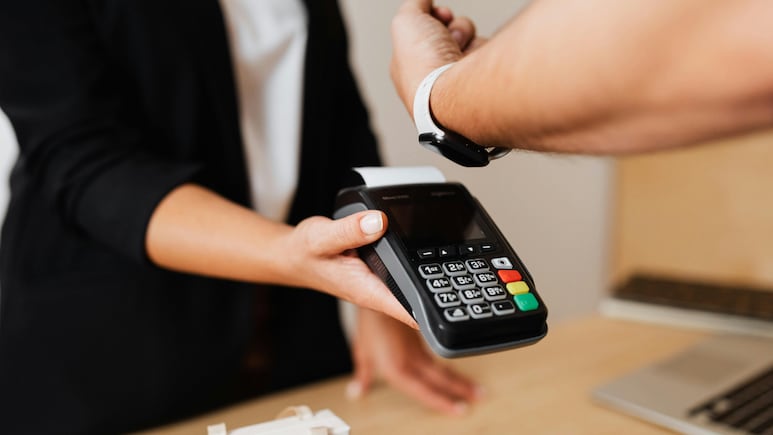
Simply hold the top of the iPhone or the display of the Apple Watch near the contactless reader. If the payment is successful, a checkmark and "Done" appear on the device. At a transport gate, the gate can then open.
Some eligible travel cards are automatically set to Express Mode when they are added. You can also change your Express Mode card through Wallet.
- On an iPhone, open Wallet, select the card, tap More, then Card Details, and choose Express Transit Settings or Express Mode.
- On Apple Watch, the setting is available through the Apple Watch app under My Watch, Wallet & Apple Pay and Express Transit Card.
But simply because Apple Pay is now operating in India, it doesn't mean it's ready to replace all your metro cards or bus passes. THat stands true for both India and abroad. It is always better to check availability before counting on it.
Also Read: Why Do Airplanes Still Have Ashtrays When Smoking Is Banned?
Indian Travellers Should Check This Before A Trip
The biggest thing to remember is that Apple Pay itself does not guarantee access to public transport. Before a trip, check whether the transport system at your destination accepts Apple Pay or contactless payment cards. If it does not, check whether its own travel card can be added to Apple Wallet.
Also check whether your particular card is eligible. For Apple Pay in India, that matters because support at launch is limited to eligible Axis Bank credit cards on Visa and Mastercard.
If everything is supported, the experience can be very simple.
Track Latest News Live on NDTV.com and get news updates from India and around the world