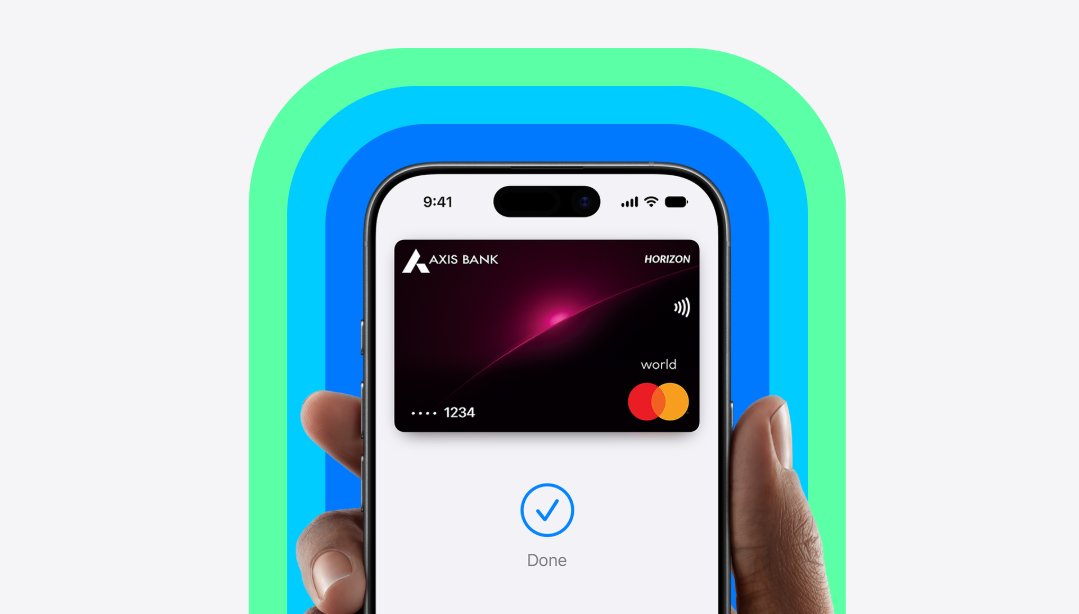
Apple Pay has finally launched in India, giving iPhone users a new way to pay in stores, apps and on websites. But the service arrives with an important limitation: At launch, only eligible Axis Bank credit cards on the Visa and Mastercard networks can be added to Apple Pay. If you are wondering whether your card, device or usual payment method will work, here are 10 questions to answer before using Apple Pay in India.
1. Which cards work with Apple Pay in India?
At launch, Apple Pay supports Axis Bank-issued Visa and Mastercard credit cards. Axis Bank is the first Indian bank to offer Apple Pay to its customers. Apple has also been in discussions with other major Indian banks, including HDFC Bank and ICICI Bank, but agreements had not been finalised at launch. "The introduction of Apple Pay advances this ambition, bringing greater choice and flexibility to our Credit Card customers, with support across the Mastercard and Visa networks. As payments become increasingly embedded in customers' everyday digital lives, our focus is on bringing together innovation and trust, while making every interaction more intuitive and relevant," Amitabh Chaudhry, MD & CEO, Axis Bank, said.
2. Can I use my RuPay card with Apple Pay?
Apple Pay currently supports eligible Axis Bank Visa and Mastercard credit cards. RuPay cards are not supported at this stage.
3. Does Apple Pay work with UPI?
Apple Pay's initial India launch is card-based, rather than a replacement for UPI. Apple says users can make purchases with eligible cards in stores, apps and online; a Reuters report said that UPI is not part of the initial Apple Pay offering.
4. Which Apple devices can use Apple Pay?
Apple Pay is available in India on iPhone, iPad and Apple Watch at launch. Apple says Mac support is coming soon.
The exact functionality varies by device. For example, an iPhone can be used at a contactless payment terminal, while Apple Pay can also be used for supported purchases inside apps and on websites.
5. How do I add my Axis Bank card?
Eligible customers can add their card through Apple Wallet, while Axis Bank has also said customers can add eligible cards through its mobile banking app.
Open Wallet, tap the option to add a card and follow the verification process. Apple notes that card issuers may require additional verification, such as an SMS, email, phone call or verification through the bank's app.
If you see messages such as "Could Not Add Card" or "Invalid Card", Apple advises contacting the card issuer.
6. Where can I actually use Apple Pay?
Apple says Apple Pay will work at participating merchants across India, including stores, apps and websites. At physical stores, the payment terminal must support contactless/NFC payments, and the merchant must accept the card and payment network being used.
At launch, Apple lists merchants including Apple Store locations, Blinkit, Croma, Ixigo, Tata 1mg and Zomato, among others. More merchants and apps are expected to be added over time.
7. Do I have to enter a card PIN or OTP every time?
Apple says Apple Pay transactions can be authenticated using Face ID, Touch ID or the device passcode, rather than requiring the card PIN or an OTP at checkout.
For a physical-store payment on an iPhone with Face ID, for example, you can double-click the side button, authenticate and hold the top of the iPhone near the contactless reader.
8. Is Apple Pay safe if I don't want to share my card number?
Apple says your actual card number is not shared with merchants when you use Apple Pay. Instead, the service uses a Device Account Number along with a unique security code for transactions.
A payment also requires authentication before payment information is transmitted. This means Apple Pay is not simply sending your physical card's number to the shop every time you tap your phone.
9. Will I still get my credit card rewards and benefits?
Apple says users continue to receive the rewards and benefits offered by their cards when they pay using Apple Pay.
10. What if my iPhone is lost or stolen?
You should immediately mark the device as lost. Apple says putting a device into Lost Mode automatically turns off Apple Pay on that device.
Apple also offers Stolen Device Protection on supported iPhones, adding additional security requirements for sensitive actions when the phone is away from familiar locations.
According to Apple website, Apple Pay is available in more than 90 countries and regions, and works with more than 11,000 bank and network partners worldwide.
Track Latest News Live on NDTV.com and get news updates from India and around the world