





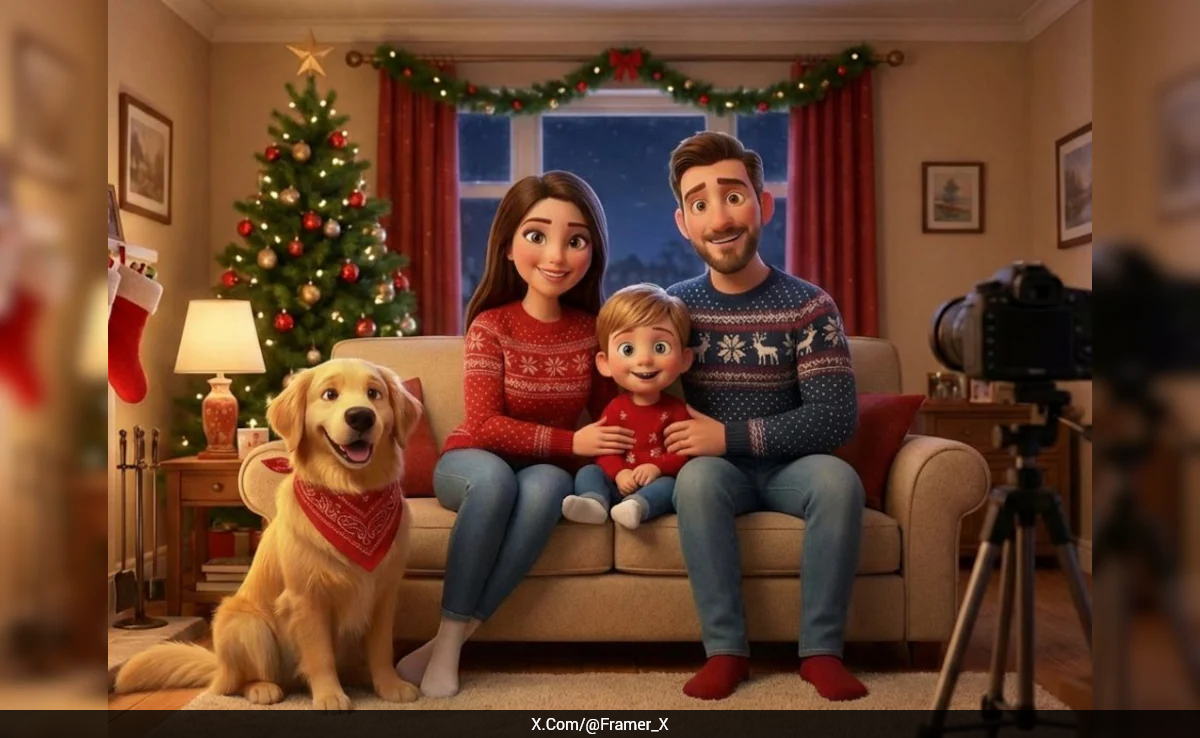
This Christmas season, families are embracing a creative new trend: transforming their regular photos into colourful, personalised Christmas cartoons using AI tools. With the help of platforms like Nano Banana Pro and Sora 2, users can add festive elements like snowy backdrops, cozy winter outfits, and cheerful holiday vibes to their family portraits in just a few minutes.
The process is simple, users upload a photo and apply specific prompts, and the AI generates a cartoon-style image that's perfect for Christmas cards, social media profiles, or holiday greetings.
The trend was recently shared on X (formerly Twitter) by user @Framer_X, who outlined the steps to achieve the perfect holiday cartoon. The post quickly gained traction, inspiring many to give their family photos a festive twist.
This new use of AI reflects the growing popularity of personalised digital art and the way technology is reshaping how people celebrate and share memories during the holiday season.
Turn your family photo into a personalized Christmas cartoon 🎄
— Framer 🇱🇹 (@Framer_X) December 22, 2025
It's easy and takes only two prompts.
Here is how 👇 pic.twitter.com/MTusKrl3E2
How to create a Christmas cartoon:
Step 1: Choose a family photo you would like to turn into a cartoon.
Step 2: Upload your family photo to Nano Banana Pro and use the following prompt: "Turn this image into a Pixar style."
Step 3: Go to Sora 2, upload your image and use the following prompt to get the first set of scenes:
Prompt (10s):
"Family posing for a cozy Christmas photo.
[cut] kid excitedly peeking at the gifts under the Christmas tree, picking up one box and shaking it in the air as if trying to hear what's inside
[cut] father comes up to him and says: "Not yet buddy, we need to take a pic for your grandma first..."
[cut] father gently tying a red bandana around the dog's neck
No music."
Step 4: Now use the prompt below to get the second set of scenes:
Prompt:
"Family posing for a cozy Christmas photo, boy saying: "cheeese!", dog playing around, as he jumps up, the shot is taken
[cut] old woman's hands holding the taken picture, already framed as a gift
[cut] close up shot of a father putting a Christmas decoration on the tree
[cut] mother carefully taking freshly baked cookies out of the oven
[cut] kid takes a bite of cookie his mom baked and drinks some milk
No music."
Step 5: Use both prompt sets or remove any scenes you don't like, then combine them into one clip. For example:
Prompt:
"Family posing for a cozy Christmas photo, boy saying: "cheeese!", dog playing around, as he jumps up, the shot is taken
[cut] kid excitedly peeking at the gifts under the Christmas tree, picking up one box and shaking it in the air as if trying to hear what's inside
[cut] mother carefully taking freshly baked cookies out of the oven
[cut] kid takes a bite of cookie his mom baked and drinks some milk
[cut] close up shot of father putting on a Christmas decoration on the tree"
Step 6: Now stitch them together in CapCut in any order you like.
Track Latest News Live on NDTV.com and get news updates from India and around the world

