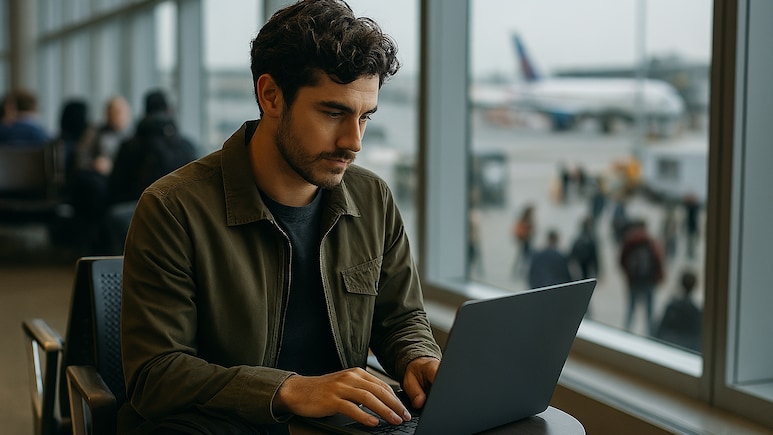
There is a special kind of comfort in finding free Wi-Fi when you are far from home. Maybe you are killing time at an airport, maybe you are tucked inside a cosy cafe or maybe you are trying to reassure your family that you really did catch the right train. In those moments, connecting feels harmless, almost routine. Yet public networks have a way of hiding their intentions behind convenience. With just a few habits, you can enjoy staying online without unknowingly opening the door to trouble. And the good news is that staying safe does not mean becoming overly cautious, it simply means being a little more aware. Here's how you can stay safe while using public Wi-Fi on the go.
Essential Tips To Keep Your Devices Secure On Public Networks Abroad
1. Unmasking Fake Networks Before They Trick You
Cybercriminals often create Wi-Fi names that mimic official ones, hoping travellers will join without pause. One way to outsmart this is by observing the behaviour of the network rather than just its name. If a supposedly legitimate network asks for unnecessary permissions, redirects you to unfamiliar login pages, or loads unusually slowly, it may not be what it claims.
Also Read: 5 Smart Travel Tips That Are Good For You And The Planet

Photo Credit: Unsplash
2. Let Your Device Forget Networks Automatically
Your phone or laptop might be a little too eager to reconnect to networks it has met before, even if those networks have since been spoofed by someone else. Turning off the auto-join feature ensures your device does not jump onto a compromised version of a familiar network. This simple setting prevents silent reconnections that often happen while boarding trains or roaming airports.
3. Use Apps That Restrict Background Data On Public Networks
Many apps talk to the internet even when you are not using them, quietly transmitting data across whatever network you're on. Installing a data-restriction or privacy firewall app allows you to temporarily silence such background chatter. By doing so, only the apps you intentionally open will communicate online, significantly reducing the information you expose over an untrusted network.

Photo Credit: Unsplash
4. Enable DNS-over-HTTPS For A Hidden Layer Of Privacy
Even if your browsing seems secure, someone on the same public network may still observe which websites you attempt to visit through DNS requests. Enabling DNS-over-HTTPS on your browser encrypts these requests so they cannot be easily intercepted or manipulated. This prevents attackers from redirecting you to fake lookalike sites that attempt to harvest login details.
5. Create A Separate Traveller Account On Your Laptop
Instead of carrying your primary user account everywhere, set up a lightweight traveller profile that holds minimal personal information. This reduces what becomes accessible if a malicious network injects malware or if someone gains temporary physical access to your device. It also helps you keep sensitive documents and autofill data far away from roaming environments.
Also Read: 10 Genius Packing Hacks For Travelling Smart And Light

Photo Credit: Unsplash
6. Check Router Certificate Information On Login Pages
Some public Wi-Fi networks require a login through a captive portal. Before entering anything, check whether the page has a valid security certificate by clicking on the padlock icon. If the certificate looks expired, mismatched, or suspiciously generic, treat it as a warning that someone may be intercepting the connection.
Staying connected while travelling should feel effortless, and with a few thoughtful habits, it can stay that way without compromising your safety.
Track Latest News Live on NDTV.com and get news updates from India and around the world