





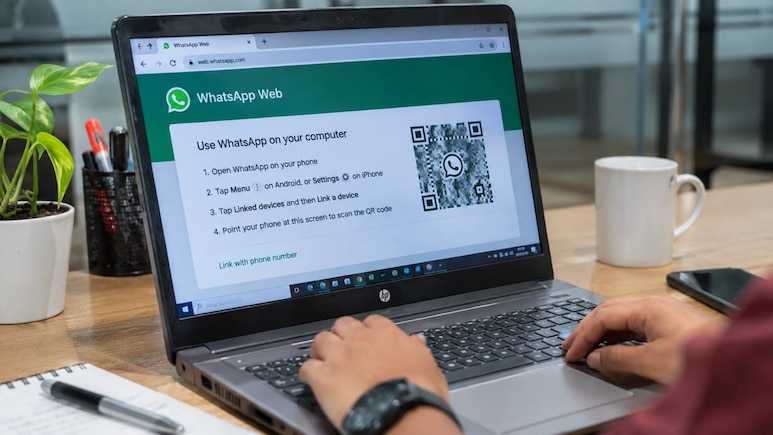
Your WhatsApp account may be just one forgotten logout away from falling into the wrong hands. According to an advisory issued by the government, an active WhatsApp Web session on an office or shared computer could be misused by malicious actors, potentially exposing private messages, contacts and group conversations. The advisory has been issued by the National Cybercrime Threat Analytics Unit (NCTAU) of Indian Cyber Crime Coordination Centre (14C), which comes under the Ministry of Home Affairs.
The government has warned that an active and authenticated session could, under certain circumstances, be misused to gain unauthorised access to a user's account. Apart from exposing private messages, such access could allow someone to use the person's identity to carry out fraud, phishing or other cybercrimes.
National Cybercrime Threat Analytics Unit (NCTAU), of Indian Cyber Crime Coordination Centre (14C) under the Ministry of Home Affairs has issued an advisory for "Safe Use of WhatsApp Web", pointing it has observed that an authenticated WhatsApp Web session may, under certain circumstances, be misused to gain unauthorised access to a user's WhatsApp account.
— ANI (@ANI) November 23, 2026
The safest way to prevent any unauthorised use of your WhatsApp account is to not leave the web session permanently logged in, particularly on office computers, shared systems or devices that other people can access. Users should make it a habit to manually log out after every session instead of relying on closing the browser window or tab, as per the advisory.
If WhatsApp Web must be used temporarily, the advisory recommends using incognito or private browsing on a trusted computer and logging out manually before closing the browser. Users are also advised against logging in from cyber cafes, public kiosks, hotel business centres or borrowed computers.
Incognito mode, however, should be treated only as an additional precaution, not a substitute for logging out.
The government has further cautioned against exchanging sensitive government, organisational, financial or confidential information through WhatsApp Web sessions on computers. Organisations are advised to avoid its use in official and sensitive work environments.
Users should also keep a tab on unusual account activity, such as messages they did not send or unexpected replies from contacts. Keeping operating systems, browsers and security software updated, while avoiding suspicious downloads, unknown files and cracked software, is also important.
Track Latest News Live on NDTV.com and get news updates from India and around the world

