

The National Testing Agency (NTA) has launched a mobile app called the 'National Test Abhyas' to help students take mock tests for various competitive exams such as JEE (Main), NEET (UG), UGC-NET, and other exams.
Candidates across the country can use the app to access the tests free of cost. The app will help the students to fully prepare themselves for the upcoming JEE (Main), NEET (UG) and other competitive exams. The students can download the test and take it offline. This will also help the candidates with low bandwidth internet connections.
-

-
 Best Of NDTV World Summit 2026 | Defining Conversations, Big Ideas
 -
 PM Modi Says 'Parasite' Congress Hurts 'Honest' Dissent Movements
 -
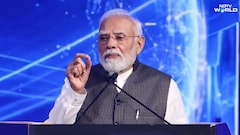 "Some Dreaming Of Disorder": PM Modi's Dig At Rahul Gandhi
 -
 PM Modi Highlights India's Firsts: Fast Breeder Reactor, Hydrogen Train, Asian Games Medals
 -
 "UN's Limits Clearly Visible": PM Modi Presses For 'New Solutions' At NDTV Summit
 -
 "World That Relied On India's Brainpower Now Trusts Its Mindpower": PM Modi
 -
 Non-Oil Trade With India Went Up 50% In 3 Years: UAE Minister At NDTV Summit
 -
 "Some Dreaming Of Disorder": PM's "Failed Product Of Congress" Jibe At Rahul Gandhi
 -
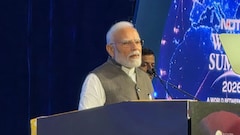 'Viksit Bharat Not Just For Us': PM Modi's Top Quotes At NDTV World Summit
 -
 Has Indian Cuisine Arrived At The Global Stage? What Vir Sanghvi Believes
The app has been launched to facilitate candidates' access to high-quality mock tests in their homes since NTA's Test-Practice Centers (TPCs) were closed during the ongoing Covid-19 pandemic.
The app works on Android-based and iOS smartphones and tablets and can be downloaded from Google Play Store or App Store. Once candidates download the app, they will be required to sign up or register with some basic details, create a free account, and then start accessing mock tests free of cost for their selected examination.
The NTA has also shared an extensive support system about the app on its website.
While appearing for the test on the app, the candidates are advised to not to share their password with anyone. If another student takes a test from their account, the candidate will not be able to take the test again.
Students must not switch, close or refresh the active test window once they have started the test. They are advised not to change the local date and time of the device while taking the test.
Candidate must not attempt the test in any other device or browser after starting the paper at the same time.
