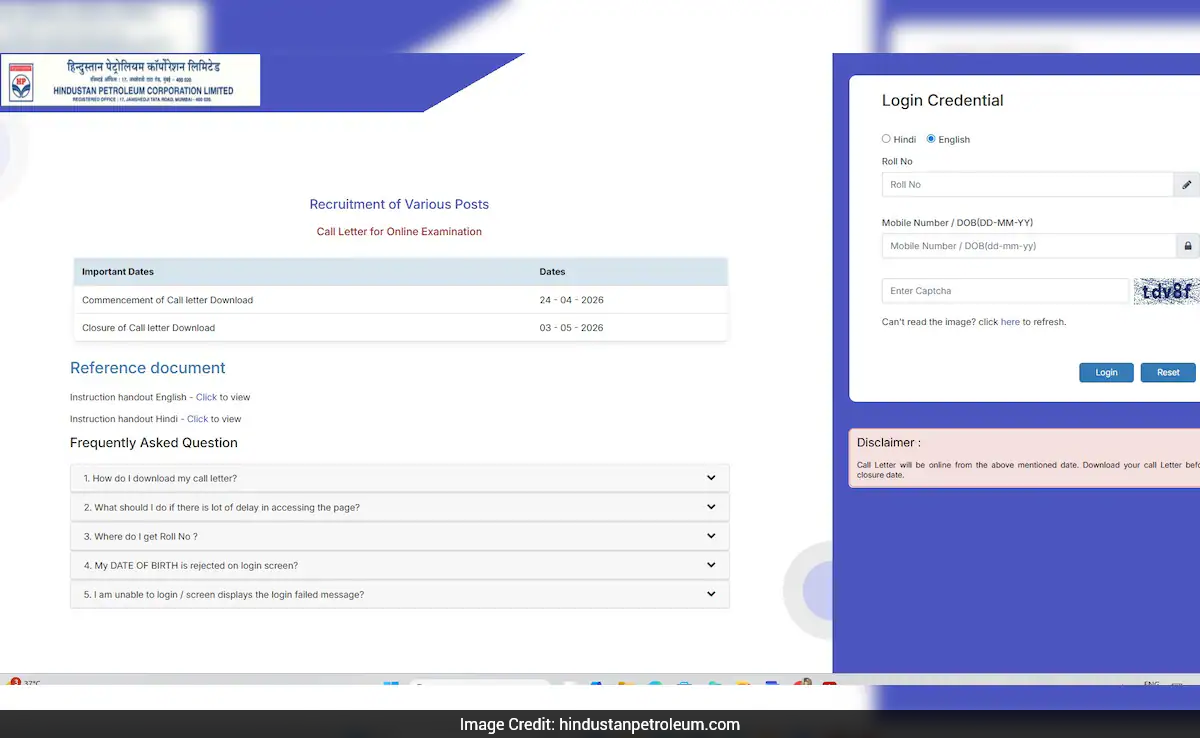

HPCL Officer Admit Card: The Hindustan Petroleum Corporation Limited (HPCL) has issued admit cards for multiple Officer, Junior Executive and Manager-level posts. Candidates who have applied for the recruitment exam can download their hall tickets from the official website, hindustanpetroleum.com, till May 3.
How To Download HPCL Admit Card?
- Visit the official website, hindustanpetroleum.com.
- Click on "Job Openings" on the homepage, then select "Download Admit Card".
- Enter your roll number and mobile number, and click on "Submit".
- The admit card will appear on the screen.
- Download and save it for exam day.
Candidates are advised to check all details mentioned on the admit card carefully and carry a printed copy to the examination centre.
Exam Details
The admit cards have been released for a range of posts including Senior Officer (CGD Projects), Chemical Engineer, Junior Executive (Chemical, Civil, Electrical, Mechanical, HR, Fire & Safety, QC), Finance Officer (CA/CMA/MBA), HR Officer, IS Officer, Assistant Manager and Manager roles across departments.
The written test will be conducted for a duration of 150 minutes. However, candidates may be required to stay at the exam centre for around 210 minutes. A negative marking scheme is applicable, with 0.25 marks deducted for each incorrect answer.
How Are Scores Calculated?
- The number of correct responses in each section is used to calculate the corrected score after applying penalties
- Scores are normalised to account for variations in difficulty levels across different sessions.
- Final scores, both section-wise and overall, will be reported up to two decimal places.
